What happens to a saved recipe if the website changes or goes offline?
Nothing. Once you save it, the recipe lives in your recipe box on your phone, so it stays exactly as you saved it.
Focara Kitchen saves recipes from most recipe websites into your own recipe box: paste the link, and the ingredients and steps come in on their own, without the pop-ups, blog stories, and endless scrolling.


Free on the App Store and Google Play.
Last updated
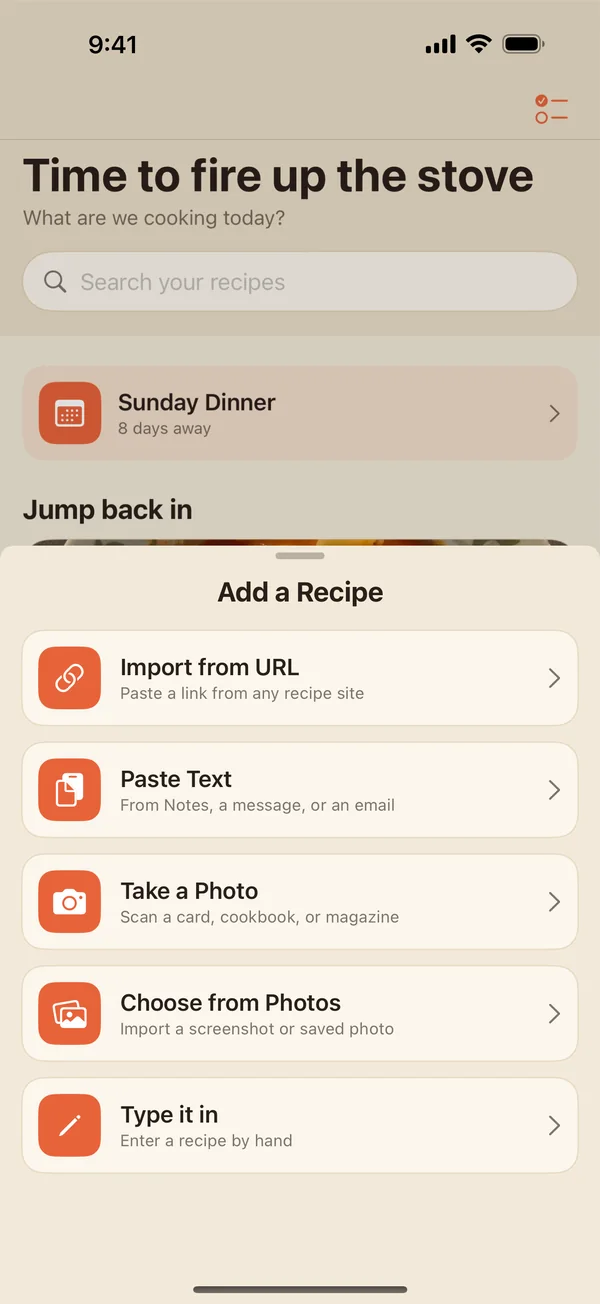
Copy the recipe from Notes, a message, or an email and open Paste Text. Paste the ingredients into one box and the directions into another, and Focara turns them into clean rows you can scale and shop from.
Nothing. Once you save it, the recipe lives in your recipe box on your phone, so it stays exactly as you saved it.
No. Focara keeps the recipe itself: the ingredients, steps, times, servings, and a short description, with a link back to the source. The long story and the website's pop-ups stay on the website.
Yes, every part of it. Save your changes as a new version to keep both the original and the way you make it, and switch between them any time.
Yes. Copy the text, open Paste Text, and put the ingredients and the directions in their own boxes. Focara turns them into a recipe you can check over and save.
Or start from the Focara Kitchen homepage, read the frequently asked questions, or take the step-by-step tutorial.
Focara Kitchen is a free recipe box for iPhone and Android.
Free on the App Store and Google Play.